SkyStream Plugins
New in v1.4.0: SkyStream's own .sky plugins run inside CloudStream Pro. Install plugin files or add repositories — their providers join your home sections, search and streams.
A free, open-source streaming player for Android that brings every plugin world together — SkyStream .sky plugins, Nuvio scrapers, Stremio addons and native extensions — in one clean, ad-free app. No account. No subscription. Your sources, your rules.
CloudStream Pro starts empty and becomes yours: add the repositories and plugins you want, and their movies, shows and anime appear in one home, one search and one player.
New in v1.4.0: SkyStream's own .sky plugins run inside CloudStream Pro. Install plugin files or add repositories — their providers join your home sections, search and streams.
Nuvio scrapers and Stremio addons plug straight in, with streams matched through TMDB — so one title gathers sources from every system you have enabled.
Full support for classic CloudStream extension repositories (.cs3). All four extension pages share one clean two-tab layout: Installed and Repositories / Discover.
An endless feed whose categories come from your own providers' sections — hide shelves or drag them into your order. The player stays locked at full 16:9, with brightness and volume swipe gestures.
Download movies and episodes — including DASH streams — with a live downloads page and a foreground progress notification. Start a download while a title is still loading; it waits, then goes.
Double-tap to skip 10 seconds, resume exactly where you left off, Continue Watching with live play/pause badges, subtitle support, and a floating pill navigation that expands to show its name.
Full poster headers, trailers that play in place, ratings and genres — and tapping any cast member opens their full filmography, gathered from TVmaze and Wikidata.
A built-in content filter under Settings → Content keeps unwanted titles out of home, search and the feed, using keyword-based rules you control.
Custom Home Lists built from any provider's categories, a smart provider switcher, Dark and Material You themes, and one consistent sheet-and-dialog style across the whole app.
Real screenshots from the app — pure-black home, a feed built from your providers, and every plugin system in one settings page.
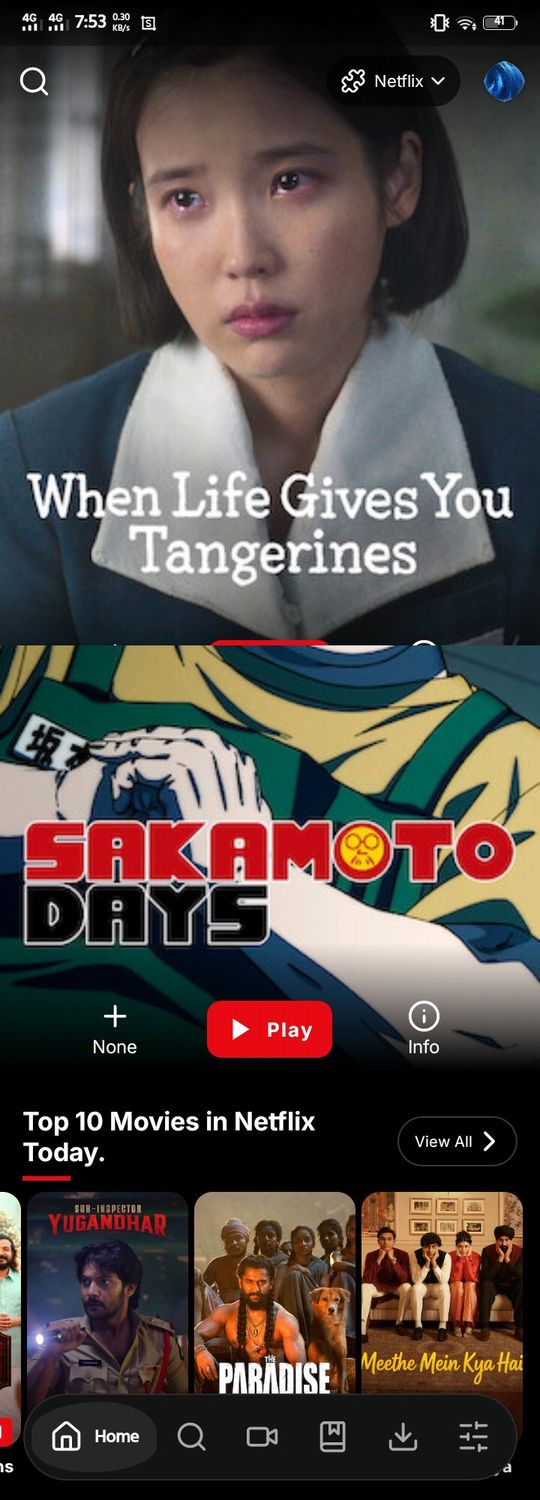
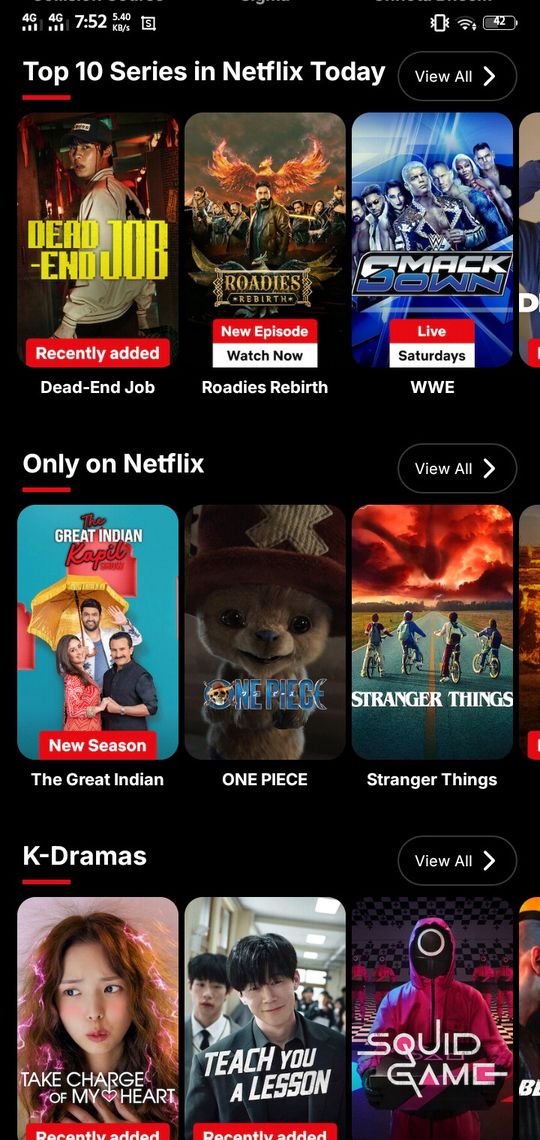
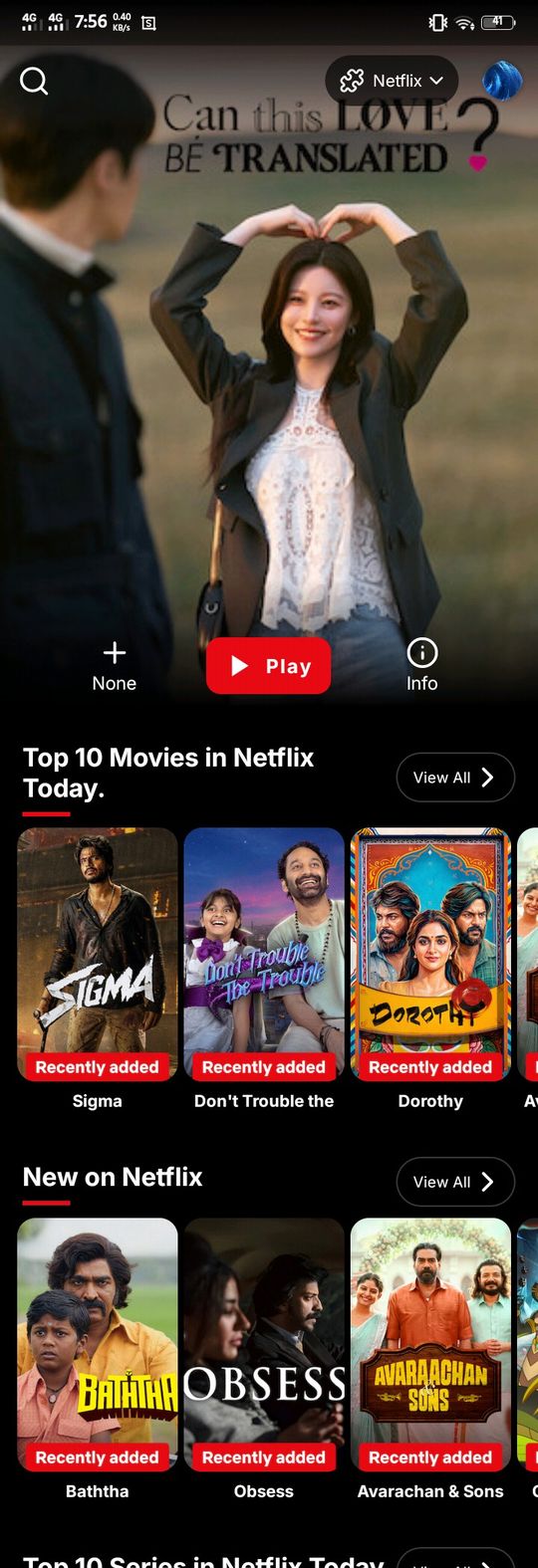
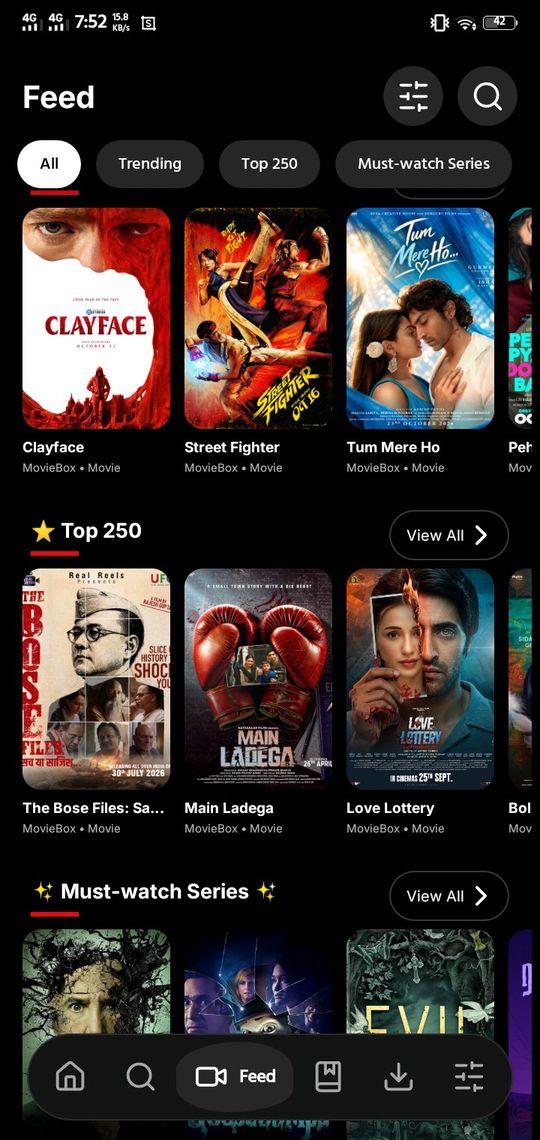
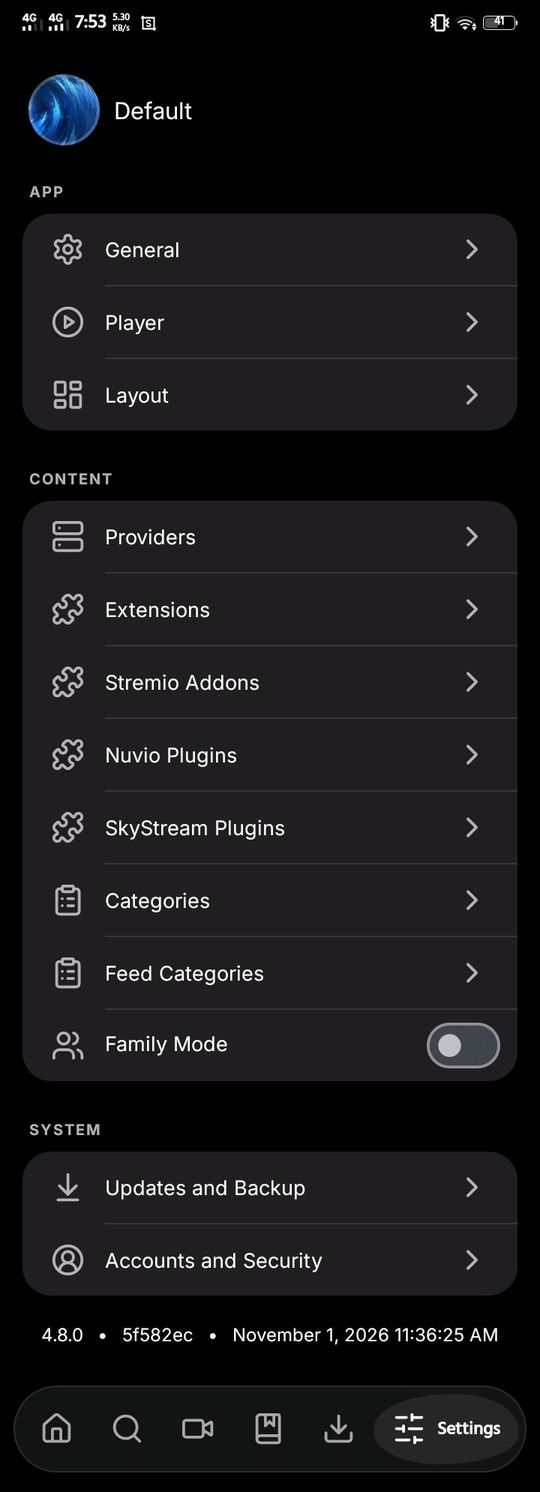
The plugin release: a whole new extension system joins the app, plus a rebuilt Feed, a floating navigation bar and a fresh icon set. Device-tested and approved.
Direct from the official GitHub release — no middlemen, no bundled installers, no ads. The universal APK works on phones, tablets and Android TV.
“SkyStream Plugins” — the current stable release. Free and open source (GPL-3.0), signed with the project's own key, and verified on Android 8.1 and Android 12+ devices.
Tap the download button above and save CloudStream-Pro-v1.4.0.apk (85.6 MB) to your phone or TV.
Open the file and, if Android asks, allow installs from your browser or file manager — just this once. Then tap Install.
The app ships clean, with nothing pre-loaded. Open Extensions or SkyStream Plugins and add the repositories you choose — content appears right away.
No. CloudStream Pro is a player and organiser — it hosts nothing. Content comes from the extensions, plugins and addons that you choose to add, the same way a web browser shows websites you visit.
By design. The app ships with no sources pre-installed. Add extension repositories under Extensions, .sky plugins under SkyStream Plugins, or addons under Stremio / Nuvio — their catalogues then fill Home, Search and the Feed.
Any Android phone, tablet or TV running Android 6.0 or newer. Releases are tested on Android 8.1 and Android 12+ before publishing, and the universal APK covers both 32-bit and 64-bit devices.
Yes — free, open source under GPL-3.0, with no ads, no account and no tracking built in by the project. You can read every line of code on GitHub.
CloudStream has always been distributed directly. Downloading the APK from the official GitHub release on this page is the safe way — copies from random APK sites may be modified.
Open an issue on the GitHub Issues page with your device model, Android version and what you tapped. Clear reports get fixed fastest.